

Game trailers and promotional videos live or die on one thing: whether the characters on screen look like they belong in an action sequence worth watching. A fighter who moves with weight and precision, an assassin whose approach feels genuinely threatening, a showdown between two characters whose physicality communicates the stakes before anyone has read the description — these are the moments that make someone decide to wishlist a game, follow a developer’s account, or click through to find out more.
Creating video content that captures this kind of character energy is something that independent developers and smaller studios have historically struggled with. The game itself might have excellent character designs, a compelling combat system, a distinct visual world — but translating those qualities into a short-form video that communicates them effectively to someone who’s never played it requires production resources that don’t always exist in proportion to the creative ambition behind the project.
Seedance 2.0 is an AI video generation tool, and one of the areas where its capabilities translate most naturally into useful output is exactly this: generating video content that shows characters in dynamic, action-focused scenarios using the visual references you already have. Not a replacement for actual gameplay footage, but a way to create cinematic video content from concept art, character sheets, and reference clips that most game projects produce as a matter of course.
Starting From What Already Exists
Every game in development accumulates visual assets long before it has footage that’s ready to show publicly. Character concept art, environment illustrations, atmospheric moodboards, color studies — this is the material that defines the game’s visual identity before a single rendered frame exists that’s ready for public consumption.
For most of the development cycle, that visual material sits in internal folders, useful to the team but invisible to the audience the game is being built for. The character designs that a developer has been refining for a year exist as static images. The world that’s being built exists as concept paintings. None of it moves.
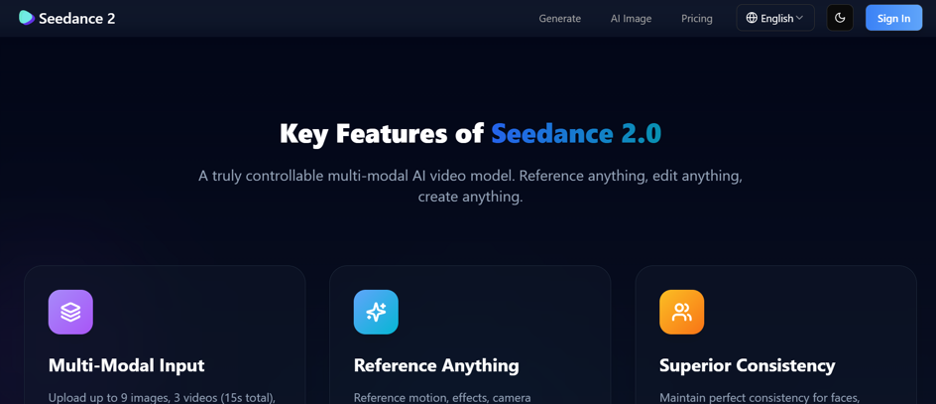
Seedance 2.0 takes these static references as input and generates video from them. You upload a character concept image, describe the action scenario you want to see — a combat sequence, a chase through an environment, a character arriving somewhere for the first time — reference a clip that captures the kind of camera movement or action energy you’re going for, and the model generates a video that puts your character in motion in a visually coherent way. The character design holds throughout the clip. The proportions, the costume details, the visual identity you’ve spent months developing — these don’t get lost in the generation process.
Replicating Action Sequences From Reference
One of the more directly useful capabilities for game content specifically is the reference video system. If you’ve seen an action sequence in a film, an existing game trailer, or any other video that captures the kind of physical energy you want your characters to communicate, you can upload that clip alongside your character design reference.
The model reads the motion logic of the reference — the pacing of the action, the rhythm between strikes, the camera movement that frames the sequence — and applies it to your character in your visual context. You’re not describing the action in words and hoping the interpretation lands correctly. You’re showing exactly the quality of movement you want and asking the model to produce it with your character at the center.
This is particularly useful for game content because the visual language of different genres is specific and recognizable. The way action sequences feel in a character action game is different from a stealth game, which is different from a fantasy RPG. Referencing footage from within your genre gives the generated content the right physical register rather than producing something generic.
The output won’t always match the reference exactly — the model interprets rather than clones — but it produces something in the right territory that can be refined through adjusted prompting. A few iterations to dial in the pacing and camera angle typically produces a clip that serves its promotional purpose well.
Establishing Tone Before Gameplay Footage Exists
There’s a specific window in game development where promotional video is needed but gameplay isn’t ready to show publicly. The visual direction is established, the characters exist in design form, the world has been built out conceptually — but the in-engine version is still months away from looking like the game you’re building toward.
This window is often when the first announcement needs to happen: at a showcase, in a reveal trailer, in the early content that builds an audience during development. The choice has traditionally been between showing early footage that doesn’t represent the final product and waiting until the footage is better. Neither option serves the game particularly well.
A cinematic video generated from concept art and visual references occupies a useful middle ground. It’s accurate to the game’s creative direction — the characters, the world, the tone — without claiming to be in-engine gameplay. Clearly labeled as concept or cinematic footage, it gives potential players a genuine sense of what the game is about before the product exists in a form that’s ready to be filmed.
Several well-regarded indie games have built substantial early audiences through atmospheric reveal content before any gameplay was available. The audience that follows a game from early development tends to be more invested by launch. Getting that content out earlier, from whatever visual assets exist, is worth the effort.
Short-Form Content for Platform Algorithms
Beyond trailer-style content, the rhythm of social media publishing creates a persistent demand for shorter, more frequent updates. A 15-second character moment for a TikTok or Reel, a 30-second action clip for an Instagram post, a quick atmospheric video for a developer update — this is the content that keeps a game visible between major announcements and builds the cumulative audience that converts into launch-day players.
Producing this volume of content through traditional video production is time-consuming for a team with a game to finish. A developer who has months of work ahead of them can’t be dedicating significant hours every week to social video production.
Seedance 2.0 fits naturally into this kind of recurring content need. The generation workflow is fast enough that a short clip for a platform post can be produced in an hour rather than a day. The reference assets — character designs, environmental art — stay consistent across multiple sessions, so you’re not rebuilding from scratch each time. Over the course of a development cycle, a steady cadence of character-focused video content becomes achievable without consuming development time in proportion to the output volume.
The Character Reveal Format
One specific video format that performs consistently well in game marketing is the character reveal: a short video focused on a single character that communicates who they are through their appearance and how they move. From major fighting game announcements to smaller indie games introducing their cast, the format works because it’s direct — here is a character, here is why they’re interesting.
The structure of a character reveal maps naturally to what Seedance 2.0 generates from a strong character reference. A cinematic entry moment, the character in action, a final frame that lets the design register clearly. The whole thing runs 20 to 40 seconds. It doesn’t require dialogue, extensive world-building, or narrative context. It requires the character to look visually compelling in motion.
For games with interesting rosters, generating individual reveal clips is a content strategy with predictable demand. Each new character announcement is a publishing moment. Having a workflow that can produce reveal-quality video from a character’s concept art — quickly enough to align with the announcement timing — is the difference between introducing a character with a static image and introducing them with a video that actually shows why they’re worth being excited about.
Getting the Most Out of Character Reference Material
The output quality from any generation session is closely tied to the quality and specificity of the reference material you bring. A well-rendered character concept with clear costume details, defined proportions, and a strong silhouette gives the model substantially more to work with than a rough sketch or a low-resolution thumbnail.
This isn’t a reason to delay until the art is perfect — early rough concepts can still produce useful atmospheric content. But when it matters most, the investment in strong reference art pays forward into the quality of the video content generated from it. Character sheets that show front, side, and three-quarter views give the model a more complete picture of the design and tend to produce more consistent representation across the clip.
The same principle applies to the reference clips you use for action replication. A clean, well-shot reference of the action quality you’re going for produces better results than a low-quality or heavily edited clip where the underlying motion is hard to read. Building a small library of high-quality action references in the genres and styles relevant to your game is preparation work that pays off every time you use it.
For game developers and studios thinking about how to build an audience before launch and sustain it through development, the ability to generate character action videos from existing design assets is a practical and underused tool. Bring your strongest character concepts, identify the action moments that best communicate what makes them interesting to play or watch, and take those to Seedance 2.0 with a reference clip that captures the visual energy you’re going for. The designs you’ve already made are the foundation. The video content that builds an audience starts from there.

