
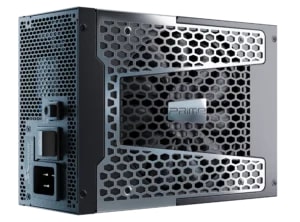

The PC PSU calculator from Seasonic is highly accurate, which is praised by customers who have already used it. The calculator includes a 20–30% reserve to account for peak loads or future upgrades. Which means, you don’t need to make any additional calculations; the Seasonic tool does the entire wattage calculation cycle for you.
In addition to its high accuracy and efficiency, it is very convenient to use. The menu guides the user step by step: choosing the CPU, GPUs, storage devices, fans, and form factor. Moreover, our engineers constantly update the data on modern equipment, so the calculator takes new products into account. PC enthusiasts and those who have already tried it also confirm this.
How does the Seasonic calculator provide accurate PSU wattage estimation?
Seasonic wattage calculator provides the accurate results thanks to its work principle:
- The calculator collects the complete configuration: CPU, GPU, storage devices, fans, motherboard, and other devices.
- Seasonic keeps up with modern components, so the calculator has updated power consumption numbers.
- The calculator adds a reserve of 20-30% to account for peak loads, component wear, and future upgrades.
- It adds data on maximum consumption spikes, not just average values.
- The calculator uses internal tables and formulas that give results with an accuracy of ±10–15%.
What features make the Seasonic tool stand out from other PSU wattage calculators?
The Seasonic calculator guides the user step by step through an intuitive menu. Anyone can figure out how it works from the first use and quickly enter the data needed to calculate watts. The Seasonic calculator is recognized as one of the most accurate, with results typically ranging from ±10–15%. This accuracy makes it a reliable choice without the need for additional comparisons.
The calculator not only shows the required power, but also suggests Seasonic PC power supplies that match your configuration. This is even more convenient, as you don’t have to spend time searching for a power supply that meets your power requirements. Thanks to its accuracy and reliability, users can do without using multiple calculators and “average” calculations. The Seasonic calculator’s result is sufficient.
What other PSU wattage calculators besides Seasonic are reliable in 2025?
The following ones can also be used for calculating watts:
- PCPartPicker: popular among the tech community, has a large component database and provides accurate calculations.
- Newegg PSU Calculator: known for its simple interface, it adds power reserve for stability and upgrades.
- Cooler Master Calculator: convenient step-by-step selection of CPU, GPU, and form factor, provides accurate recommendations.
- be quiet! Calculator: takes into account peak consumption and optimal load (50–80%).
- Corsair PSU Calculator: automatically adjusts the consumption of RAM, storage devices, and fans; provides several PSU options.
How do online calculators help gamers and professionals choose the right PSU?
For gamers:
- Take into account demanding graphics cards and possible overclocking.
- Provide power reserves for stable FPS and avoid slowdowns.
- Recommend the optimal certification level (80 PLUS®) for energy efficiency.
For professionals:
- Calculate the load when you’re using multicore CPUs, multiple GPUs, or a lot of RAM.
- Help avoid instability in critical tasks (rendering, computing).
- Provide a margin for upgrades without the risk of power shortages.
What factors should users consider to get accurate PSU selection recommendations?
Data that the user must provide:
- CPU and GPU models (with their peak power consumption).
- Number and type of RAM, storage devices, fans, and peripherals.
- Plans for overclocking or future upgrades.
- Motherboard form factor and cable requirements.
Factors affecting calculation accuracy:
- Adding power reserve (~20–30%).
- Choosing a certified and efficient unit (80 PLUS®).
- Presence of protections (OVP, SCP, OTP) for stable operation.
- Modularity and compatibility with the case.
- Brand reputation and reliability.
Can PSU wattage calculators optimize efficiency and prevent system overload?
Of course. Using online PSU power calculators helps you accurately determine the power supply capacity you need. They take into account all the components of your system and possible future upgrades. This makes it easier to choose an efficient computer PSU with sufficient power reserve, ensuring stable system operation and preventing overload.
How to compare results from different PSU wattage calculators to make the best choice?
First, choose reliable calculators that give accurate results. You can try Seasonic’s calculator, which has been getting good feedback from users for its accuracy. We also recommend using a UPS or software to monitor power consumption. This is necessary to verify that the calculator results correspond to the actual load. A calculator that’s effective will give you results that are close to reality.
And pay attention to the safety margin; the calculator should add 20-30% to the calculated power of the PSU.
Conclusions
Wattage calculator is your guarantee to choose the most effective PSU that will handle any task you need to do on your PC. It’s a few minutes of your time, but the longevity of PC components and a PSU itself in perspective. Choose those that consider more factors and already have a good reputation among PS specialists.

